Fixing OS X Leopard menu bar transparency

Leopard transparency fixUpdate: As many readers now noticed, as of 10.5.2 there is now a preferences setting for the menubar transparency.

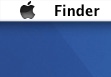
For some reason Apple decided to make the menu bar in Leopard transparent. With my background image this means that the menu bar will be in a shade of blue. It doesn’t look good and makes my computing environment less comfortable (I’m picky, I know…).

Someone created a software hack to remove the transparency. There is also a system setting (thank you Johan) to trick the window manager into thinking it is in older hardware. I am not sure of the side effects so I’m not that keen on installing that. Here is the pragmatic fix: take your background image and paint a white stripe, 21 pixels high, at the top. Problem solved. My menu bar is now easy to read with black text on white background (see picture above).

Before painting the white stripe you may have to resize the picture to the exact size of your desktop, otherwise the OS will resize it and it won’t fit the size of the menu bar.

Leopard black menuUpdate: As Peter points out in the comments below, if you use black instead of white the menu will look similar to the default ash grey style of other Leopard apps.

Comments

  1. Scott Paterson says at 2007-10-28 17:10:

    Novel solution… Probably won’t work very well if you run multiple monitors of different resolutions but I guess for most users this is an easy fix.

  2. Peter says at 2007-10-28 18:10:

    Use black instead of white. Then your menubar will be nicely grayed in the same style as other windows. It seems Leopard is able to detect the dark color in the desktop background and disable the transparency for parts which are too dark.

  3. DrWatson says at 2007-10-28 20:10:

    This menu bar transparency is pure stupidity. Transparent for what reason? There’s nothing you can put behind it to show through. Cano drag a window behind it or an icon. Down with that I say. Nice trick.

  4. Stephan says at 2007-10-28 20:10:

    Smart and simple. That light blue also annoyed me.

  5. Rhonda Starke says at 2007-10-29 04:10:

    Boooooooring! This ‘fix’ has been suggested a hundred times before. Would someone please find that hidden setting so we can just do a ‘defaults write’ and move on?

  6. Nathan says at 2007-10-29 10:10:

    please don’t tell me you’re going to make me do this with every single one of my wallpapers…
    must. kill. transparency. :P

  7. Peter Krantz says at 2007-10-29 11:10:

    Nathan: Are you using all of your wallpapers? I just use one.

    Rhonda: Seriously, stop whining and come up with something better yourself. This fix is easy for most people to apply. I hope Apple will release information on some hidden preferences setting too, but this is the best I can do.

  8. Corrigindo o “problema” de transparência da nova barra de menus do Leopard says at 2007-10-29 15:10:

    [...] Sei que já até criaram hack para resolver o “problema,” mas o Peter Krantz achou uma forma ainda mais simples de contornar [...]

  9. Non-adjustable transparent menu bar in Leopard « G Anson says at 2007-10-29 16:10:

    [...] No, I don’t want to edit my wallpapers. [...]

  10. Web 2.0 Announcer says at 2007-10-29 17:10:

    Fixing OS X Leopard menu bar transparency!…

    [...]For some reason Apple decided to make the menu bar in Leopard transparent. With my background image this means that the menu bar will be in a shade of blue. It doesn?t look good and makes my computing environment less comfortable (I?m picky, I kno…

  11. Leopard: cambiar pantalla de login, dock 3D y barra transparente says at 2007-10-29 20:10:

    [...] Flickr, HardMac y Peter Krantz. Tags: Apple, Deskmod, LeopardOtras entradas que te pueden interesar…:BM Custom Login, plugin [...]

  12. Nathan Ollerenshaw says at 2007-10-30 02:10:

    @ Rhonda Starke

    I’ve searched through all the defaults, but there is nothing there. It could be a hidden key, but that will take a lot longer to search through.

    Just because you don’t like the solution offered doesn’t mean you should act like a tool.

    fkn people on the internet. Half of you should be shot.

  13. OS X Panther - Weg mit der transparenten Menüleiste at franztoo says at 2007-10-30 06:10:

    [...] gehandelt und einen Hack geschrieben, der alles zum Guten wendet. Runterladen kann ihn hier und hier gibt es noch einen kleinen Tipp wie man die Farbe nach seinem eigenen Geschmack anpassen kann. [...]

  14. nathan says at 2007-10-30 13:10:

    Personally i like the transparent bar. It melds more into your desktop and i don’t mind that.

  15. Will Gilbert says at 2007-10-31 21:10:

    To do this very quickly. Copy the “Aurora” image from “/Library/Desktop Pictures/Nature” into your “Pictures” folder. Double-click to open with Preview, then under “Tools”, “Flip Vertical”, save the image and use it as your Desktop image. Works great!!!

  16. Kevin Jarrett says at 2007-10-31 21:10:

    Brilliant. Thanks!

  17. Hugh Jess says at 2007-11-03 22:11:

    This is a simple, practical fix. Thanks Peter. The whiners can go feck themselves.

  18. Leopard Dock and Menu Bar user interface options says at 2007-11-04 22:11:

    [...] yet to find a quick Terminal command to revert to an opaque Menu Bar. What can be done is a quick modification to your Desktop Wallpaper which will achieve the same effect. Some have scoffed at this method. My take? It’s clever [...]

  19. http://mkb-technologie.livejournal.com/ says at 2007-11-08 18:11:

    This is a simple, practical fix. Thanks Peter. The whiners can go feck themselves.

    Except it’s not practical when you have more than 30 wallpapers that you cycle through automatically.

  20. Sucker says at 2007-11-09 00:11:

    Just don’t believe the desktop is so crappy. Why didn’t they allow you to choose “Tiger Style” one at least ?

  21. HornCologne says at 2007-11-13 12:11:

    There is a lot more (stupid) transparency in Leopard than just the menu bar! How about opening a photo in Preview and opening the “adjust color” controls – OMFG! If I have *anything* open in my workspace – and God forbid it is high contrast images – I can barely make anything out at all in the controls.

    Note: It is not that I am given to editing photos in Preview (I use real tools), but this is an example of how poorly thought out the transparency “feature set” in Leopard is – any why can’t we turn it off?!?!

  22. Johan Lind says at 2007-11-17 10:11:

    Other ways to turn off the menu bar transparency:

    Edit the following file:

    /System/Library/LaunchDaemons/com.apple.WindowServer.plist

    Add an entry like this:

    
    EnvironmentVariables
       CI_NO_BACKGROUND_IMAGE
            1
    

    Source: http://miner49r.blogspot.com/2007/11/turn-off-translucent-menu-bar-in.html

    Which is the same as:

    sudo defaults write /System/Library/LaunchDaemons/com.apple.WindowServer 'EnvironmentVariables' -dict 'CI_NO_BACKGROUND_IMAGE' 1

    Source: http://www.macosxhints.com/article.php?story=20071115135215262

  23. Steiner says at 2007-11-28 10:11:

    I installed leopard on my G5 iMac and had the gray non translucent menu bar form the start. I did a complete clean install and no tinkering I have no idea why that is. But I like it.

  24. Explora says at 2007-12-04 04:12:

    How can I make it completely transparent (except for the characters)?

  25. hello says at 2007-12-20 20:12:

    me too. I did the archive and install and had the menu bar gray from the start without any tinkering. It was great. How it happened I don’t know. I just wish it was the same on my ibook which came out transparent.

  26. 6apxat says at 2008-02-22 20:02:

    there is an option in system prefs that turns transparency on/off )

  27. // wyctim.blog » Blog Archive » Régi stílusú menüsor says at 2008-03-07 16:03:

    [...] Forrás: http://www.peterkrantz.com/2007/leopard-menu-transparency-fix [...]

  28. Pakk99 says at 2008-03-19 22:03:

    Whatever. I was a transparency-hater too, until I used it for a few days. And now, I can’t stand the look of Tiger’s horrifically intrusive, glaring menu bar. Switch off transparency if you must, but, personally, I’m sick of hearing from the whiner’s. Would you also prefer that Apple return to 8-bit icons? Get over it.

  29. styledfoam.com » Leopard’s new GUI annoyances and fixes says at 2008-04-11 11:04:

    [...] to edit you wallpaper of choice an and a 21px high white strip at the top … read about it or     (B) to choose a solid color as background, preferably the darkgray one [...]

  30. SR says at 2008-05-10 02:05:

    This works only when you have your desktop visible underneath the menu… more often it is an actual application (sometimes even the same application). The transparency doesn’t annoy me at all when the default desktop image is in the background; it’s most annoying when there is actual text behind the menus :P

  31. SR says at 2008-05-10 02:05:

    Oh, sorry for the previous comment. I just realised that you (and everyone else) is talking about the transparent menu *bar*, not the (semi-)transparent menus.

    Why is no one talking about the latter? Is there a simple way of turning them off that I haven’t been able to discover?

  32. Anonymous Coward says at 2008-05-14 05:05:

    System preferences pane -> Desktop -> Bottom checkbox “Translucent Menu bar” — problem solved.

    Idiots.

  33. Peter Krantz says at 2008-05-14 08:05:

    @Anonymous Coward: Well, if you look at the date of this post you will find that there wasn’t a checkbox in System preferences for that.

  34. Ian says at 2008-05-19 14:05:

    Hi, don’t know if anyone here has realised but there is an option in the System Preferences > Desktop that says “Translucent Menu Bar”. You can switch it on and off quite easily, at least on my MBP there is. Maybe it is an update, hope this helps.

  35. L. Robin Nilsson says at 2008-06-14 00:06:

    I wish I had that checkbox, because I really would like the bar to be translucent. But apparently they must have judged the G5 not to be fast enough to handle such things as transparancy, as the bar is as gray as ever, and no setting to be found. And I can’t really say I disagree with them. I am having enough prestanda problems as it is. But yeah, transparancy would be nice.

  36. Rosina says at 2008-11-28 12:11:

    The site\’\’s very professional! Keep up the good work! Oh yes, one extra comment – maybe you could add more pictures too! So, good luck to your team!

  37. Davao Mac User » What’s up, Dock? Ey, men…u. says at 2009-07-21 03:07:

    [...] those who are not into hacking the menu bar, they may choose to use Peter Krantz’s method of just putting a 12 pixel high strip of white or black on top of each [...]

  38. Stephan B says at 2009-08-06 23:08:

    Okay – I think I know what’s going on – It seemingly doesn’t have anything to do with the OS or with an update from Apple. I have a PowerBook G4 (1.67Ghz low-res) and I also have a iBook G4 1.33Ghz and the iBook doesn’t have that checkmark box in Preferences>Desktop, yet the PowerBook 15″ does. Same 10.5.8 – and I noticed a post that said that their G5 won’t even do it. So it’s clearly a graphics card threshold that Apple has decided meets or doesn’t their expectations. I also just checked My PowerBook G4 (Aluminum 1.0Ghz DVI) and it doesn’t have that option either.

    I could fathom a guess that some of the PowerPC G5’s that are out there that DON’T have the transparent menu bar option are running third party graphics cards in them, so they’re likely not certified to be ‘certified transparent bar ready’ by Apple. Having that graphics card requirement Feels a little too “Vista Aero”-ish to me. And it’s only a damn menu bar.

    But the funny thing is that I did notice was that the only people that were truly upset about the transparency bar were the people that didn’t know how to turn it OFF, not from the people that couldn’t turn it ON. So if you do have the transparent menu bar, the option to turn it off is right there in your Desktop Preferences.

    If this blog is in alignment with the general public, I’m willing to bet we won’t see that transparency bar in 10.6 – well, all of us that are still on the PowerPC chips won’t even be seeing 10.6 anyway (until someone figures out a hack) so looks like we won’t have to worry about transparency and menu bars after we turn ours off.

    So it’s easy to turn off if you have it. No hacks, no white menu bars you have to crop into your desktop wallpapers. Just turn the thing off. I couldn’t stand it when I saw it and that was once of the first things I hunted for in Preferences.

    So. It’s easy.

    Preferences>Desktop & Screen Saver>uncheck Translucent Menu Bar = goodbye lameness.

    :)

Leave a comment

You can use some HTML elements. You know which they are.

Additional comments powered by BackType